
Introducing Masai Resources: Free Learning Paths, Projects and Tools
Masai Resources is a free hub at masaischool.com/resources: learning paths for nine careers, 200+ project ideas, nine step-by-step build guides and 17 lists of free tools. Here is what each section gives you and where to start.

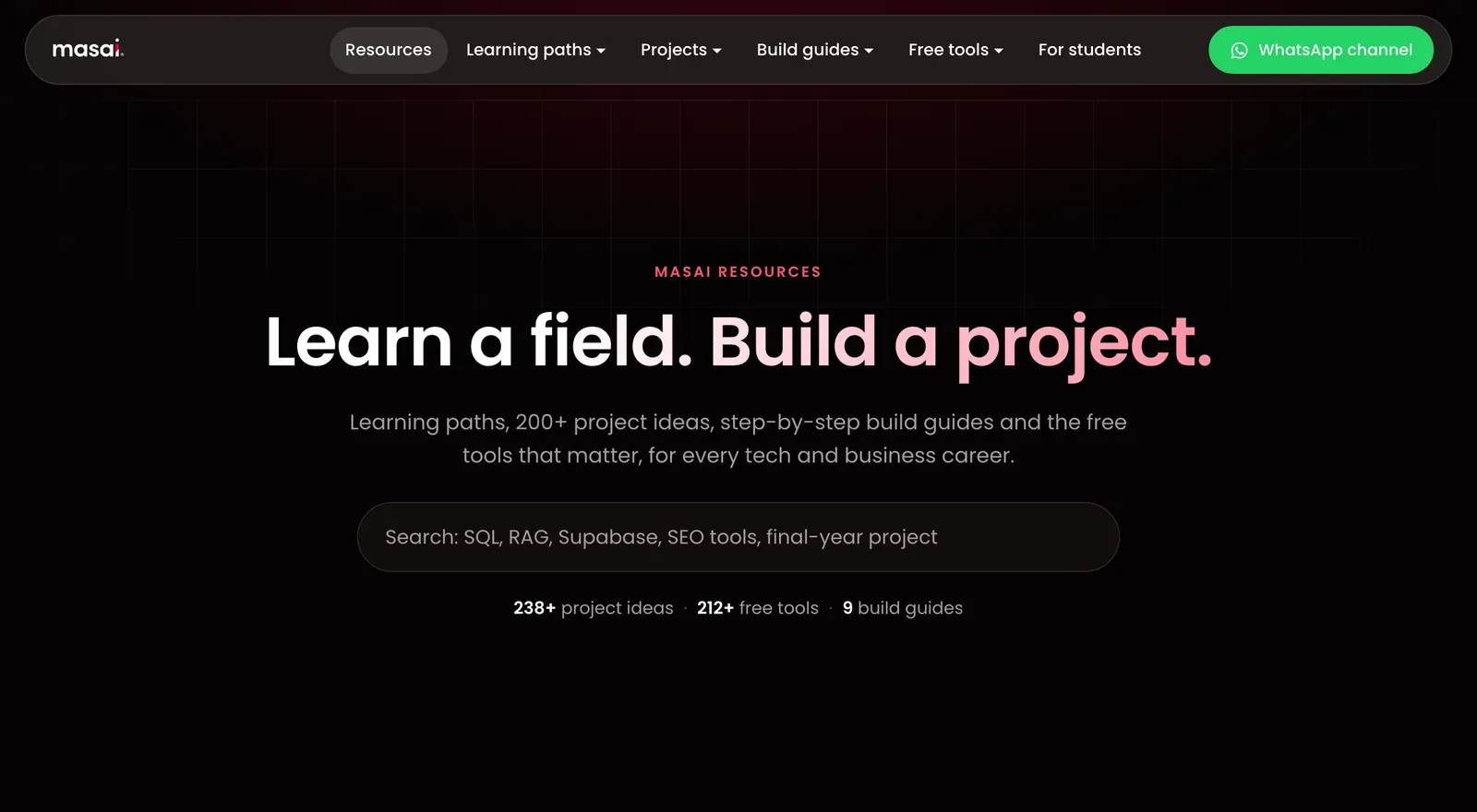
Free learning material has never been the hard part. There are tutorials, courses, playlists and tool lists for every skill you can name. What most learners are missing is order: what to learn first, which tools the industry actually uses at each stage, and what to build so the learning shows up on a resume and in an interview.
Masai Resources is built around that gap. It is a free hub at masaischool.com/resources that works like a map for nine career fields. Every learning path points to a project. Every project guide tells you how to measure the result. Every build guide takes you from an empty folder to a live link on free plans. The line at the top of the hub sums it up: learn a field, build a project.
What you will find on Masai Resources
The hub has five sections. Here is what each one gives you.
| Section | What it gives you | How much |
|---|---|---|
| Learning paths | Free resources in the right order, the industry tool at each stage, a 12 to 24 week plan, roles and mistakes to avoid | 9 fields |
| Project ideas | Datasets, steps, how to measure the result, what to ship and resume bullets | 200+ ideas, plus 28 open-source repos |
| Build guides | Numbered steps to ship a real app, API, bot or dashboard on free plans | 9 guides, 2 to 8 hours each |
| Free tools | What each free plan includes, a comparison table, top picks and a plan to start this week | 17 lists, 200+ tools |
| For college students | Final-year project ideas, source code, AI study tools and resume builders | One shortlist |
A search bar at the top of the hub finds any of it by keyword, whether you type SQL, RAG, Supabase, SEO tools or final-year project.
Learning paths for nine careers
Each learning path is one page that answers one question: in what order should I learn this field, using free material? There are nine of them.
- AI and machine learning learning path: Python to LLMs in order, with the project to build at each stage.
- Data analytics learning path: spreadsheets, SQL, statistics and one BI tool, in the order employers test them.
- Product management learning path: discovery, prioritisation, specs, metrics and AI product skills.
- Cybersecurity learning path: networks, Linux, web security and legal practice labs, then detection and GRC.
- Software development learning path: one language, DSA, full-stack, tests and deployment.
- Digital marketing learning path: SEO, analytics, paid, email and AI search visibility, with real campaigns.
- Finance and fintech learning path: financial statements, Excel models, markets, payments and regulation.
- Entrepreneurship learning path: customer discovery, MVPs, first customers and Startup India basics.
- Business management learning path: finance, operations, data-driven decisions and AI for managers.
What every learning path includes
- A stage-by-stage table. For each stage you get a free resource and the industry tools you will meet there.
- A realistic 12 to 24 week plan. Each block of weeks ends with an output you can show someone.
- Roles in the industry. What the work looks like day to day and the core tools for each role.
- Mistakes to avoid. The common errors in that field, such as skipping a baseline model or reporting accuracy on imbalanced data in AI.
- Build as you learn. Links to the project guide and the free tool lists for that field, plus answers to common questions.
Take the AI and ML path as an example. It runs in seven stages: Python, SQL and data, maths and statistics, classical ML, deep learning, LLMs with RAG and agents, and deployment. Each stage names a free resource, such as the python.org tutorial, SQLBolt, Google's Machine Learning Crash Course, Dive into Deep Learning and the Hugging Face LLM course, next to the tools you will use at work: scikit-learn, PyTorch, LangGraph, FastAPI and Docker. The 24-week plan starts with a cleaned dataset notebook in the first four weeks and ends with a document Q&A app, tested against a 30-question evaluation table, running behind an API in a container.
Choosing between attack and defence in security? The hub also has an explainer on ethical hacking vs cybersecurity, with the difference in one table, what a penetration test report contains, a beginner roadmap for each side and free, legal practice labs.
200+ project ideas with datasets and resume bullets
Project guides are where the hub goes deepest. Each detailed project tells you the dataset or setup to use, the steps, how to measure the result and what to ship, with resume bullets you can adapt. Every guide then adds a table of further ideas, so there is always a next project once you finish one.
| Project guide | What you build | Ideas |
|---|---|---|
| AI and ML project ideas for beginners | Churn, fraud, recommenders and RAG with evaluations | 10 detailed + 14 more |
| Agentic AI project ideas | MCP servers, text-to-SQL, agentic RAG and coding agents, each with an evaluation set | 7 detailed + 12 more |
| Data analytics project ideas | SQL, cohorts, A/B tests and dashboards on real datasets, with starter queries | 10 detailed + 14 more |
| Product management portfolio projects | Teardowns, funnel audits, AI feature PRDs and experiment plans | 6 detailed + 12 more |
| Cybersecurity projects for beginners | Wireshark, Nmap, Juice Shop, a Wazuh SIEM lab and LLM security tests | 9 detailed + 12 more |
| Software development project ideas | Full-stack apps with auth, tested APIs, real-time chat, payments and CI | 9 detailed + 14 more |
| Digital marketing project ideas | SEO audits, GA4 dashboards, email sequences, A/B tests and AEO audits | 10 detailed + 12 more |
| Finance project ideas | Three-statement models, DCF valuation, scorecards, UPI funnels and backtests | 9 detailed + 12 more |
| Final-year project ideas | AI, web, security, data and IoT projects, with viva prep | 36 ideas |
The guides also carry the field-specific pieces that are easy to miss when you learn alone: starter SQL for analytics, a worked sample-size example for a product A/B test, a safety checklist for agentic AI mapped to the OWASP Top 10 for LLM Applications, a report template for security labs and a README template built to get read.
If you are not sure how to pace it, the project ideas hub has a 60-day plan for finishing two projects: choose a role in week 1, build a beginner project end to end in weeks 2 and 3, build an advanced one with a baseline, a measurement and a demo in weeks 4 to 6, write the case study in week 7, and collect feedback and start applying in week 8.
Free projects with source code
Some people learn best by reading working code first. For them, the hub lists free projects with source code: 28 maintained open-source repositories across Python, web development, Java, Android and mobile, data science and machine learning, AI and LLM apps, and cybersecurity. The page also shows how to make a cloned project your own: run it first, change one thing you can explain, write your own README and credit the original.
For more project write-ups, the Masai blog has longer lists of machine learning project ideas for beginners, data analytics project ideas for a portfolio and digital marketing project ideas.
Step-by-step build guides: from empty folder to live link
The nine build guides are for the moment you want to ship something instead of reading about it. Each one runs on free plans and follows the same shape: the tools you need, 10 or 11 numbered steps, a "Make it yours" list of changes, a troubleshooting section and answers to common questions.
| Build guide | What you end up with | Time |
|---|---|---|
| First web app with Cloudflare and Supabase | A React notes app with sign-in and a database, live on Cloudflare Pages | About 3 hours |
| Portfolio website in a day | A one-page HTML and CSS portfolio on GitHub Pages or Cloudflare Pages that scores 90+ on Lighthouse | 4 to 6 hours |
| Deploy a Python API for free | A FastAPI service with tests and docs, deployed on Render's free tier | About 2 hours |
| RAG chatbot with Gemini and Streamlit | A document Q&A chatbot with a 30-question evaluation, hosted on Streamlit Community Cloud | 4 to 6 hours |
| Live dashboard from a Google Sheet | A shareable, auto-refreshing Looker Studio dashboard with scorecards and a date filter | About 2 hours |
| Set up GA4 and Search Console | GA4 through Tag Manager with click and form events, a verified Search Console property and one report | About 2 hours |
| Telegram bot on Cloudflare Workers | A webhook bot on the Workers free plan, with its token stored as a secret | About 2 hours |
| Mobile app with Flutter and Supabase | A synced list app with sign-in and a shareable Android APK | 5 to 8 hours |
| Host an ML demo on Hugging Face Spaces | A public Gradio demo of your model on a free CPU Space, with a model card | About 2 hours |
The way to use them is simple. Follow the steps exactly once, even the boring ones, because most of the learning is in the setup. Then change one thing from the "Make it yours" list so the project is genuinely yours, and put the live link, the repository and a short demo in your README and on your resume.
17 lists of free tools, with what each free plan includes
The free tools section covers more than 200 tools across 17 lists. Every list follows the same rules:
- Only tools with a usable free plan, not trials that expire in a week.
- One line on what the free plan includes, checked on the date shown on the page.
- Tools ordered by how often a student or small team will actually need them.
- A link to the project guide where you would use the tools.
Each list opens with a quick comparison table, then the full set of picks, then a short plan to get started this week and a guide to choosing between them.
- Building with AI: free AI tools for students and builders (16 picks, from Google AI Studio and Ollama to Colab and Hugging Face), free agentic AI tools and frameworks (12) and free AI coding assistants (10).
- Code and data: free coding tools for students (12), coding practice websites (12), free data analytics tools (12), free datasets for projects (16 sources, including Kaggle, data.gov.in, RBI and NSE) and free cloud credits and hosting for students (12).
- Marketing and design: free marketing tools (12), free SEO tools (12), free design tools (12), free AI image generators (10) and free AI video tools (12).
- Study and career: AI study and research tools (12), free productivity tools for students (12), free resume builders (10) and YouTube channels to learn from (18).
Free plans change often, so each list shows the date its details were checked. It is worth a quick look at a tool's own pricing page before you build anything that depends on a limit.
Made for college students too
A set of pages on the hub is written with college students in mind, especially those in their final year:
- Final-year project ideas for CS and IT students: 36 ideas across AI, web and mobile, cybersecurity, data and IoT, with a report structure and the viva questions to prepare for.
- 28 projects with source code to clone, run and extend.
- AI study and research tools such as NotebookLM, Elicit and Consensus.
- Free resume builders with ATS-friendly templates, from FlowCV and Reactive Resume to Overleaf.
- Free online courses with certificates from Google, Microsoft, IBM, HubSpot, Harvard's CS50, freeCodeCamp, Kaggle, NPTEL and Cisco.
How to use Masai Resources in your first week
- Pick one field. Open its learning path and read the stage table and the week-by-week plan. If you are torn between two fields, read the roles table on each path to see what the work looks like day to day.
- Start stage one. Use the free resource listed for it and install the industry tool named next to it.
- Ship one build guide this week. Pick the one closest to your field, finish it on free plans, then change one thing from "Make it yours".
- Choose your first real project. Take one from your field's project guide for the next month, measure it the way the guide says and write the README as you go.
- Keep the hub open. Use the search bar whenever you need a tool, a dataset or a next project.
Who Masai Resources is for
- Students and freshers building a first portfolio.
- Working professionals moving into AI, data, product, software, security, marketing or finance.
- Final-year engineering students choosing a project they can defend in a viva.
- Marketers, founders and small teams looking for free tools for analytics, SEO, design and email.
Get new guides on WhatsApp
New guides, project ideas and tool lists are posted to the Masai Resources WhatsApp channel. Follow it to get each one as it goes live.
When you want mentors and a cohort
Masai Resources is built so you can make real progress on your own. If you would rather learn with live classes, mentors and project work, pages on the hub close with a short list of programmes that have admissions open, from Masai and partner institutes, matched to the field you are reading about.
Frequently asked questions
Is Masai Resources free?
Yes. Every learning path, project guide, build guide and tool list is free to read, with no sign-up. The tools are chosen for their free plans. Masai's programmes are separate from the hub and have their own fees and admissions.
Do I need to know how to code to use it?
No. The marketing, product management, finance, entrepreneurship and business management paths do not start with code, and build guides such as the Google Sheet dashboard and the GA4 setup need none. The AI and software development paths start with programming basics, so you can begin from zero.
How is the hub different from a list of free courses?
A course list tells you where to learn. Masai Resources also tells you in what order, which industry tools to pick up at each stage, what to build at the end of it and how to measure that it works.
How often is it updated?
Each guide shows the date it was last updated, and each tool list shows when its free-plan details were checked. New guides are announced on the Masai Resources WhatsApp channel.