
10 Creative HTML & CSS Projects for Your Portfolio

Building a standout web developer portfolio requires more than copying basic code snippets. Hiring managers and clients evaluate your fundamental grasp of document structure, layout systems, cross-device responsiveness, and modern visual design principles. While modern JavaScript frameworks handle dynamic logic, mastering clean, semantic HTML5 and advanced CSS3 remains the foundational requirement for high-performance front-end development.
To help you build a high-impact portfolio, we analyzed top front-end trends and structured 10 creative HTML and CSS project ideas. These projects range from beginner-friendly static layouts to advanced responsive interfaces, designed to prove your mastery of modern layout specifications like Flexbox and CSS Grid.

Portfolio Project Snapshot
The table below breaks down all 10 projects by difficulty level, primary technical concepts, estimated build duration, and overall portfolio impact value.
1. Interactive Personal Bio Page
Every developer needs a clean personal biography or digital business card. This project focuses on raw semantic document structure and clean typography styling.
- Core Skills Taught: Proper usage of semantic tags (<header>, <main>, <section>, <footer>), inline vs. block elements, custom web fonts using Google Fonts, and external CSS linking.
- Why It Works: It proves you understand web document semantics rather than relying on unstructured <div> elements. Semantic markup directly improves both SEO accessibility and screen reader compatibility, as outlined in the W3C HTML Standard.
- Key Feature: Implement custom social media icon buttons using CSS pseudo-elements (::before and ::after) and hover state transitions.
2. Responsive Product Landing Page
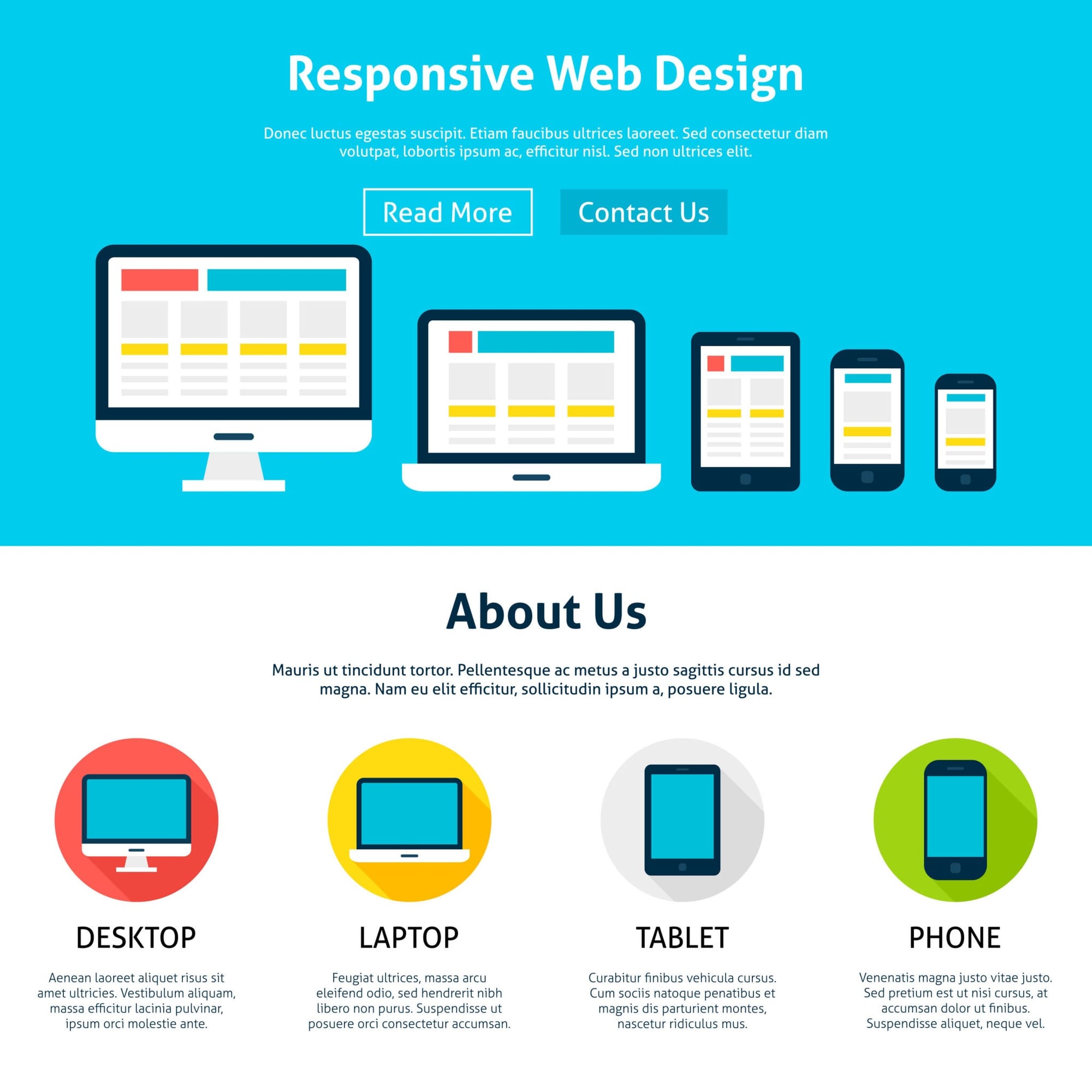
Landing pages drive conversion in modern business. Creating a responsive product page tests your ability to adapt layouts across mobile, tablet, and desktop viewports.
- Core Skills Taught: Mobile-first media queries, flexible box layout (Flexbox), hero banner design, and responsive image handling using the <picture> tag.
- Why It Works: Mobile traffic accounts for over half of global web traffic. Employers look for developers who build fluid layouts naturally using relative units (rem, em, vw) rather than fixed pixels. Refer to MDN Web Docs on Responsive Design for best practices on fluid typography.
- Key Feature: A sticky navigation bar that stays fixed at the top of the screen during scrolling using position: sticky.
3. Technical Documentation Page
A technical documentation page tests your ability to structure dense information cleanly and navigate large text documents effortlessly.
- Core Skills Taught: Sidebar navigation layout, CSS Grid, internal document linking with smooth scrolling (scroll-behavior: smooth), and code block styling using <pre> and <code>.
- Why It Works: Clean documentation layout is essential for open-source projects and developer tools. This project proves you can organize complex content hierarchy with accessible navigation.
- Key Feature: A multi-column desktop view that gracefully collapses into a collapsible or stacked layout on mobile devices.
4. Animated CSS-Only Modal & Tooltip
Creating interactive components using pure CSS showcases a deep understanding of state pseudo-classes without writing a single line of JavaScript.
- Core Skills Taught: The CSS :target pseudo-class, keyframe animations (@keyframes), opacity transitions, and pointer events management.
- Why It Works: Pure CSS components reduce JavaScript bundle sizes and improve render performance. Demonstrating UI state management via CSS signals high technical efficiency.
- Key Feature: A trigger button that launches a smoothly fading overlay modal, complete with a functional CSS close action using target anchors. Learn more about CSS transitions at CSS-Tricks Guides.
5. E-Commerce Product Card Grid
E-commerce websites rely on consistent, alignment-perfect grid layouts that display products cleanly regardless of content length.
- Core Skills Taught: CSS Grid auto-fill and auto-fit functions, minmax() sizing, CSS aspect ratios, badges, and pricing layouts using Flexbox.
- Why It Works: Grid alignment issues are common among junior developers. Mastering grid-template-columns: repeat (auto-fit, minmax (250px, 1fr)) guarantees responsive grids that adapt dynamically.
- Key Feature: Hover card elevation with CSS transform: translateY() and dynamic image zoom on hover.
6. Parallax Scrolling Storyboard
A parallax scrolling storyboard uses multi-layered background images moving at different speeds to create a depth-of-field visual effect.
- Core Skills Taught: CSS background-attachment: fixed, background scaling (background-size: cover), viewport height units (vh), and CSS custom properties (variables).
- Why It Works: Visually captivating scrolling effects demonstrate creative flair and mastery of CSS positioning mechanics.
- Key Feature: Multi-section visual narrative where text cards smoothly glide over stationary background images.
7. Interactive Pricing Table Matrix
Pricing tables require precise visual hierarchy to highlight featured tiers (e.g., "Most Popular") and drive user action.
- Core Skills Taught: CSS Grid column alignments, badge overlays, scale transforms, custom CSS button styling, and call-to-action (CTA) button highlighting.
- Why It Works: Businesses rely heavily on conversion-optimized pricing pages. Building a clear, interactive table shows business awareness and design precision.
- Key Feature: A highlighted "Pro" tier card scaled slightly larger than adjacent options, complete with a animated subtle border glow.
8. CSS-Only Dashboard Layout
Dashboards contain sidebar navigations, header bars, data widgets, and analytical panels that require robust multi-dimensional layout control.
- Core Skills Taught: Named grid-template-areas, dark mode toggles using CSS variables and the :checked pseudo-class on hidden checkboxes, overflow management, and custom scrollbars.
- Why It Works: Dashboard interfaces are standard in enterprise SaaS products. Building one with pure CSS demonstrates advanced architectural organization.
- Key Feature: Seamless theme switching between light and dark modes purely driven by CSS custom property overrides. Explore real-world project inspiration on GitHub Showcase.
9. Neumorphic / Glassmorphic UI Kit
Modern UI styling trends like Glassmorphism rely on subtle backdrop blur, semi-transparency, and multi-layered drop shadows to create a sleek frosted-glass effect.
- Core Skills Taught: backdrop-filter: blur(), complex multi-layered box-shadow configurations, semi-transparent RGBA/HSLA color definitions, and inset lighting.
- Why It Works: Implementing modern design systems proves you stay current with visual aesthetics and modern CSS properties.
- Key Feature: A complete UI card element displaying frosted glass over a colorful ambient background gradient.
10. Accessible Multipage Restaurant Menu
Accessibility (a11y) ensures websites are usable by everyone, including people relying on assistive technologies or screen readers.
- Core Skills Taught: WAI-ARIA roles and attributes (aria-expanded, aria-label), keyboard navigation focus states (:focus-visible), print stylesheets (@media print), and CSS custom properties for color contrast compliance.
- Why It Works: Web accessibility compliance is legally mandated for many businesses and highly valued by engineering leads. Building an accessible project immediately elevates your portfolio above average candidates. Check interactive learning paths on freeCodeCamp Responsive Web Design.
- Key Feature: A dedicated print stylesheet that automatically reformats the online menu into a clean, black-and-white printable document when printed via the browser.
Key Strategies to Showcase Your Projects
To ensure these projects translate into interview invitations, follow these presentation standards:
Portfolio Presentation Checklist:
- Host Live Demos: Deploy every project live using free static hosting platforms like GitHub Pages, Vercel, or Netlify.
- Write Clean Code: Follow consistent indentations, write descriptive CSS class names using methodology like BEM (Block Element Modifier), and keep code DRY (Don't Repeat Yourself).
- Document Your Work: Write a detailed README.md file for every GitHub repository explaining the project goals, tools used, key takeaways, and live preview link.